
Yellow starburst icon with 20 tapered rays radiating from the center in a circular pattern.
How it works

Manage your entire pipeline on a single record. Switch today and never type a job twice
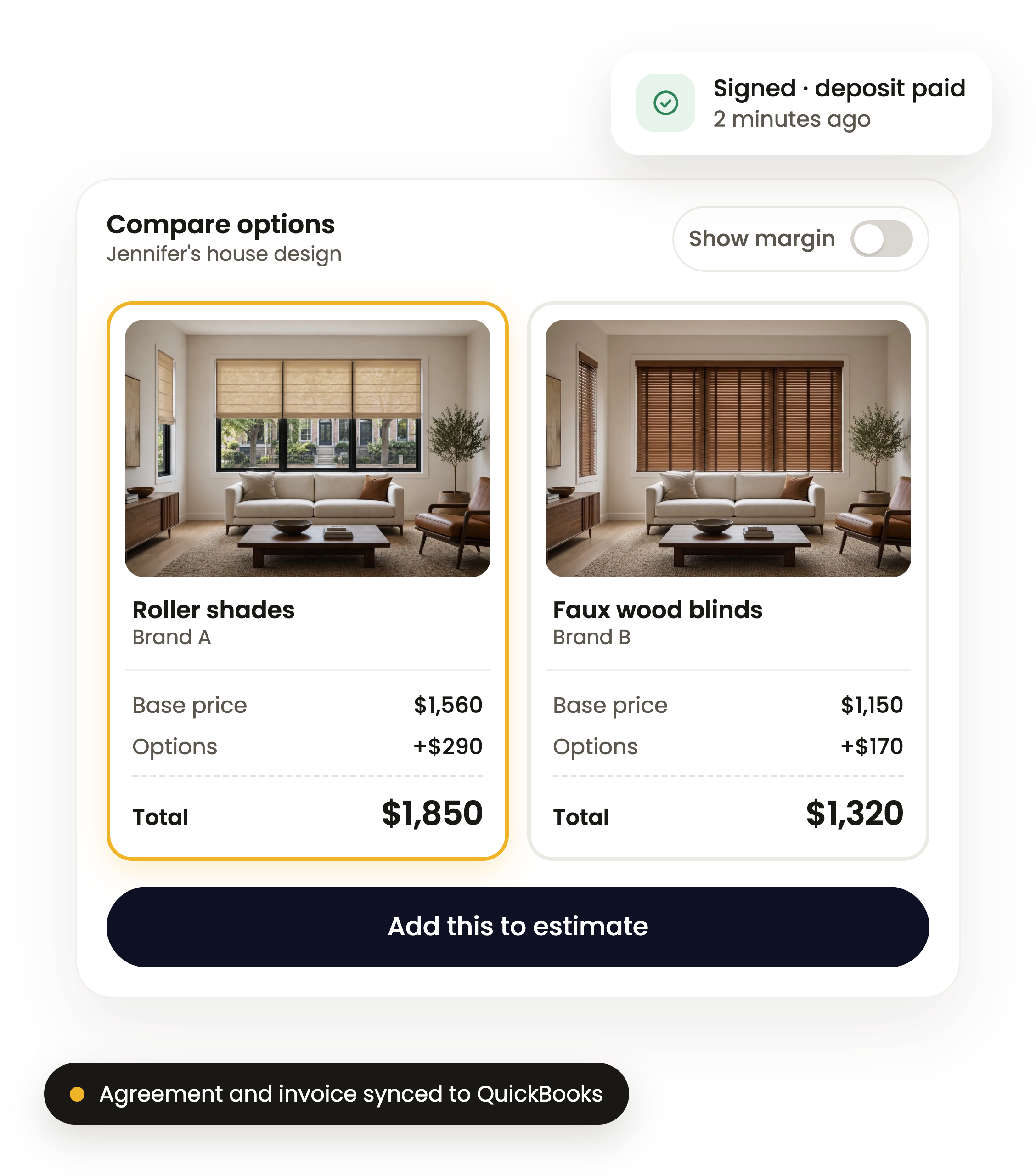
Comparison of two window treatment options for Jennifer's house design showing living rooms with a sofa, table, and armchair. Left option is Roller shades by Brand A with base price $1,560, options $290, total $1,850, highlighted in yellow. Right option is Faux wood blinds by Brand B with base price $1,150, options $170, total $1,320. Toggle switch labeled Show margin is off. Button below says Add this to estimate. A signed deposit notification shows at top right: Signed deposit paid 2 minutes ago. A note at bottom says Agreement and invoice synced to QuickBooks.

3. Quote it

Compare prices across the whole quote in seconds

Gray upward trending arrow with a zigzag shape indicating growth or increase.
Your margin on every option, so you can sell what makes you the most
Gray pencil icon tilted diagonally pointing to a horizontal line, symbolizing writing or editing.
The customer accepts, replies, signs and pays the deposit inside one link
Two thick gray arrows parallel to each other, one pointing right above and one pointing left below.
The accepted estimate becomes the agreement and invoice, with a QuickBooks connection

3

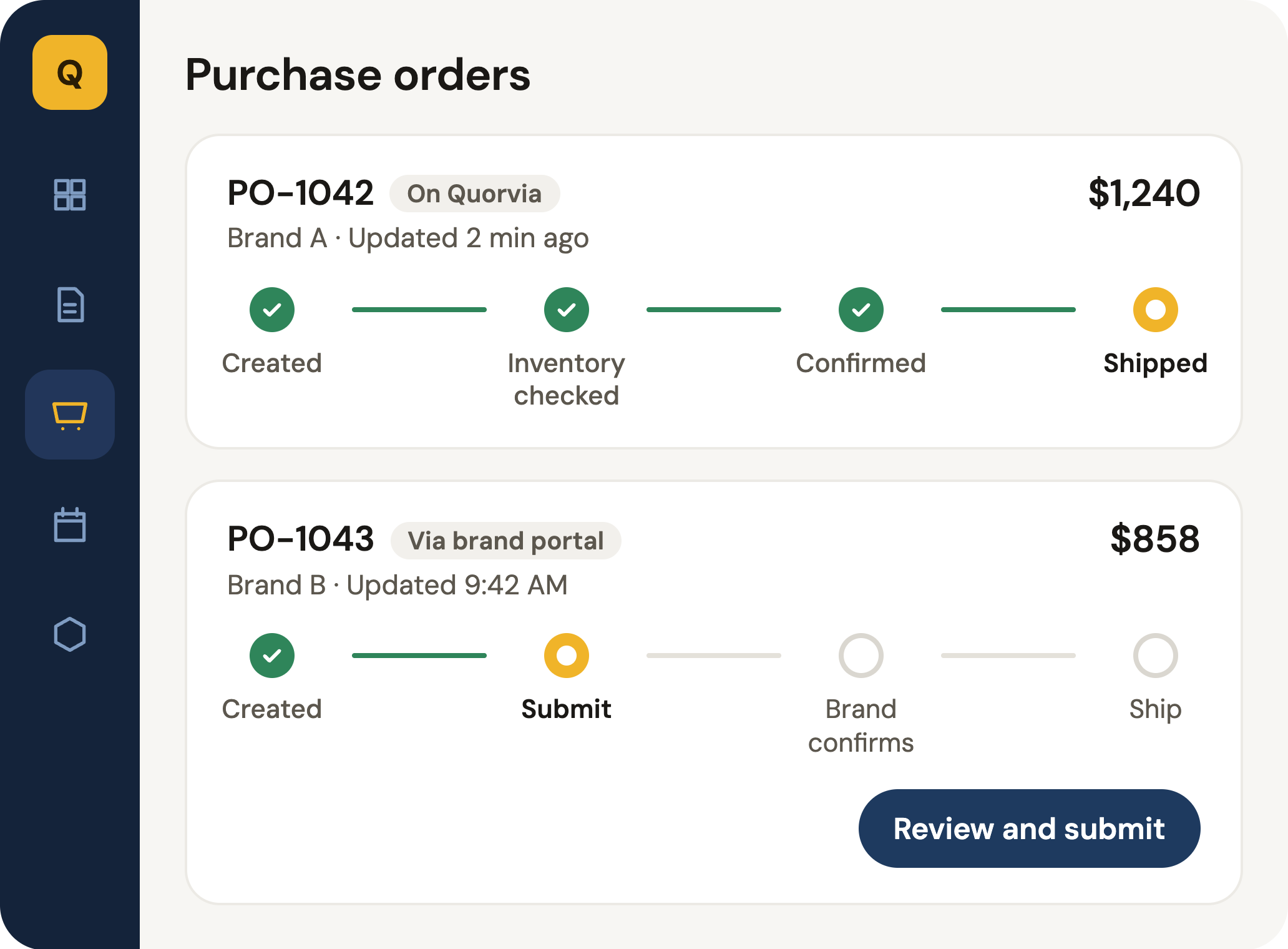
User interface of a purchase orders panel showing two orders: PO-1042 from Brand A marked as shipped with steps created, inventory checked, confirmed completed; PO-1043 from Brand B partially completed with created and submit steps done, awaiting brand confirmation and shipping; includes order prices $1,240 and $858; side menu with icons for dashboard, orders, cart, and calendar visible.

4. Order it

No matter which brands you sell, your orders draft themselves.

Icon of a browser window with a plus sign in a circle overlapping the bottom right corner, representing adding a new tab or window.
The signed agreement becomes the purchase order for each brand
Gray check mark symbol with rounded ends.
Sizes and options come straight from the approved estimate
Two thick gray arrows parallel to each other, one pointing right above and one pointing left below.
See at a glance order confirmations and estimated shipping dates

4

A timeline infographic showing a customer journey after a sale: Day 1 - Installed with contacts and jobs saved, Month 8 - Warranty claim with note 'One shade won’t lower' and order attached, Year 1 - Follow-up asking 'Ready to design another room?', Year 2 - Repeat sale of $2,140. The timeline has icons for checkmark, shield, email, and growth arrow connecting the events.

5. After the sale

The job doesn’t end at the install

Gray checkmark inside a starburst shape symbolizing approval or certification.
Warranty tracked on the job, with the original order and photos
Pro
Gray stopwatch icon showing the time at approximately 4:00 with two bells on top.
Never miss a repeat sale with scheduled follow-ups
Gray envelope icon representing email or message.
Email drips to past customers
Pro

5

Yellow starburst icon with 20 tapered rays radiating from the center in a circular pattern.
No risk

Switch today and keep your old system until it runs out

Today

Start free and use Quorvia alongside your old system.

Week 1-4

We import your data while both run.

Renewal date

Cancel the old system. Quoting and ordering have already moved over.

What every switcher gets

Bring every brand you already sell. We’ll set them up, and your next order drafts itself.

Pro free until your old contract ends

Up to 6 months, or 3 months when leaving a month-to-month tool

Free import of your old system

Free import of anything your old system can export and help getting the export out

Month to month

Your Data stays yours to export at any time
Yellow starburst icon with 20 tapered rays radiating from the center in a circular pattern.
Set UP

Start today. We do the set up.

Start free today
01

Create your free account

Start exploring today at no cost

02

Pick your brands

Search and filter by product type.

03

Book a 20-minute setup call

We render and quote one of your real jobs with you.

04

We set up your catalog

Catalog, customers and open quotes get brought over with ease

05

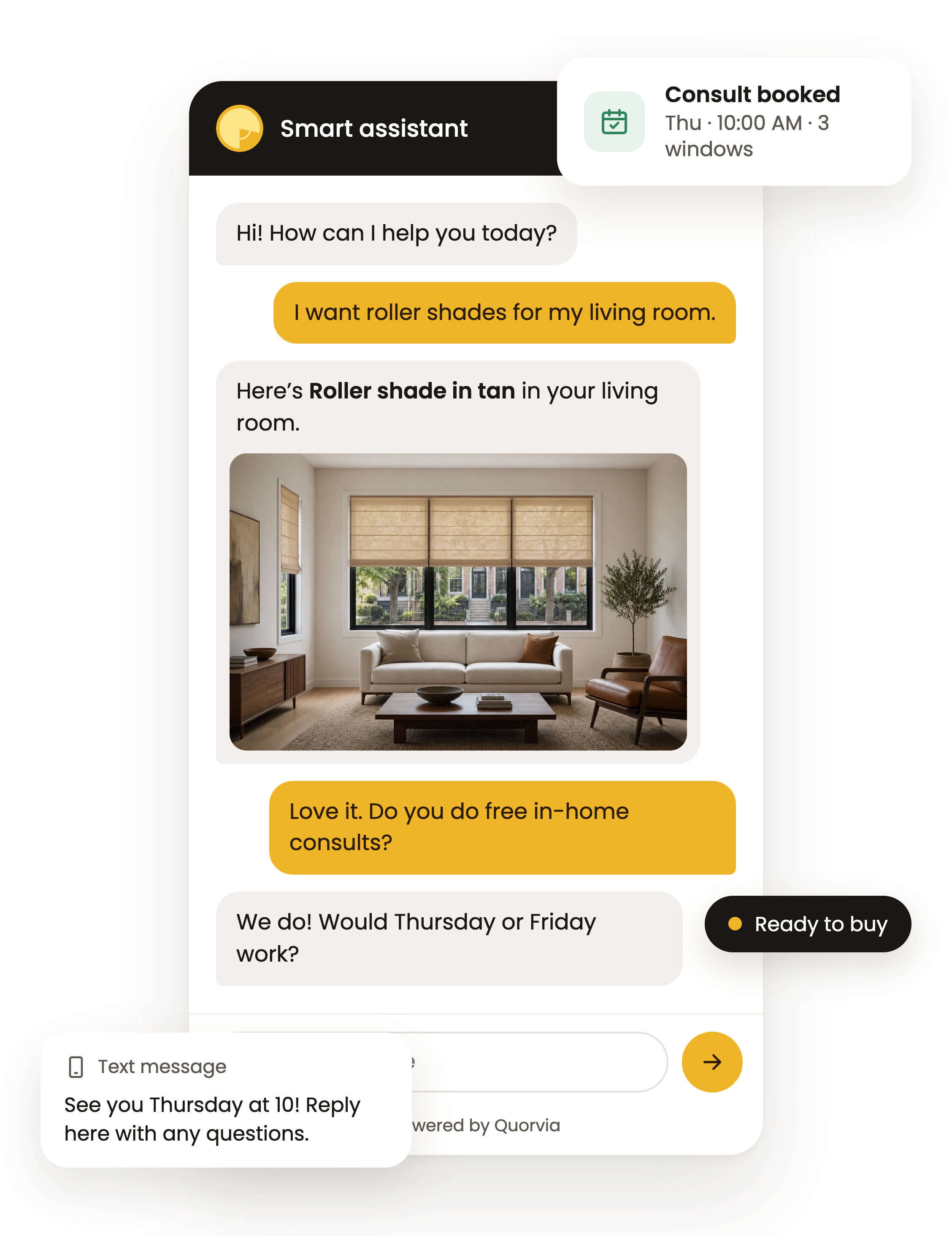
Chatbot & visualizer for your website

Easy setup with hands-on guidance. Start converting web traffic into qualified leads today!

Yellow starburst icon with 20 tapered rays radiating from the center in a circular pattern.
Price

Free means free

Monthly
Yearly
2 months free
Free Plan
Free

Everything a solo operator needs to run their business

White check mark centered inside a solid yellow-orange circle.
1 User
White check mark centered inside a solid yellow-orange circle.
$100 off your first order of $500 or more*
White check mark centered inside a solid yellow-orange circle.
Free motor samples
White check mark centered inside a solid yellow-orange circle.
Chatbot
Small Business Plan
$79
/month

Manage every customer and win more leads, all in one place

White check mark centered inside a solid yellow-orange circle.
3 Users
White check mark centered inside a solid yellow-orange circle.
Free any month you order $1,000+ through Quorvia Direct
White check mark centered inside a solid yellow-orange circle.
Chatbot with visualizer
Gray plus sign with rounded edges.
SMS texting through chatbot ($50/mo)
Pro Plan
$189
/month

Unlimited power and team access for growing businesses

White check mark centered inside a solid yellow-orange circle.
Unlimited users
White check mark centered inside a solid yellow-orange circle.
Free any month you order $2,500+ through Quorvia Direct
White check mark centered inside a solid yellow-orange circle.
Chatbot with visualizer
Gray plus sign with rounded edges.
SMS texting through chatbot ($50/mo)
Gray plus sign with rounded edges.
Add Multiple Locations ($99 each)
Free Plan
Free

Everything a solo operator needs to run their business

White check mark centered inside a solid yellow-orange circle.
1 User
White check mark centered inside a solid yellow-orange circle.
$100 off your first order of $500 or more*
White check mark centered inside a solid yellow-orange circle.
Free motor samples
White check mark centered inside a solid yellow-orange circle.
Chatbot
Small Business Plan
$790
/year

Manage every customer and win more leads, all in one place

White check mark centered inside a solid yellow-orange circle.
3 Users
White check mark centered inside a solid yellow-orange circle.
Free any month you order $1,000+ through Quorvia Direct
White check mark centered inside a solid yellow-orange circle.
Chatbot with visualizer
Gray plus sign with rounded edges.
SMS texting through chatbot ($50/mo)
Pro Plan
$1890
/year

Unlimited power and team access for growing businesses

White check mark centered inside a solid yellow-orange circle.
Unlimited users
White check mark centered inside a solid yellow-orange circle.
Free any month you order $2,500+ through Quorvia Direct
White check mark centered inside a solid yellow-orange circle.
Chatbot with visualizer
Gray plus sign with rounded edges.
SMS texting through chatbot ($50/mo)
Gray plus sign with rounded edges.
Add Multiple Locations ($99 each)
All-in-one

Quoting, CRM, scheduling, e-sign, deposits, ordering through Quorvia, warranty tracking, email drips, engagement tracking, chatbot, and setup done for you

What you won't pay

No setup fees, per-user fees, contracts or import fees. No fees on orders we enter in a brand’s portal.

switch offer

Already using another system? Keep it until your contract ends. Pro is free in the meantime. (6 Months max, or 3 months when switching from month-to-month)

Multiple locations

More than one office? Add more locations for only $99/mo each (Pro only)

*The 100-dollars-off and free-any-month offers apply only to orders of Quorvia Direct products
Yellow starburst icon with 20 tapered rays radiating from the center in a circular pattern.
FAQs

Frequently Asked Questions

Q. Is this really free?
Q. Do you carry my brands?
Q. Can I keep my old system while I switch?
Q. What moves over from my old system?
Q. Is there a contract?
Q. Can my whole team use it?
Q. How long does setup take?
Q. Who owns my data?

Stop retyping orders into five different portals

Quote once, and Quorvia drafts every brand’s order in seconds. Start free.

Thank you! Your submission has been received!
Red exclamation mark inside a red circle, symbolizing attention or warning.
Oops! Something went wrong while submitting the form. Please try again.
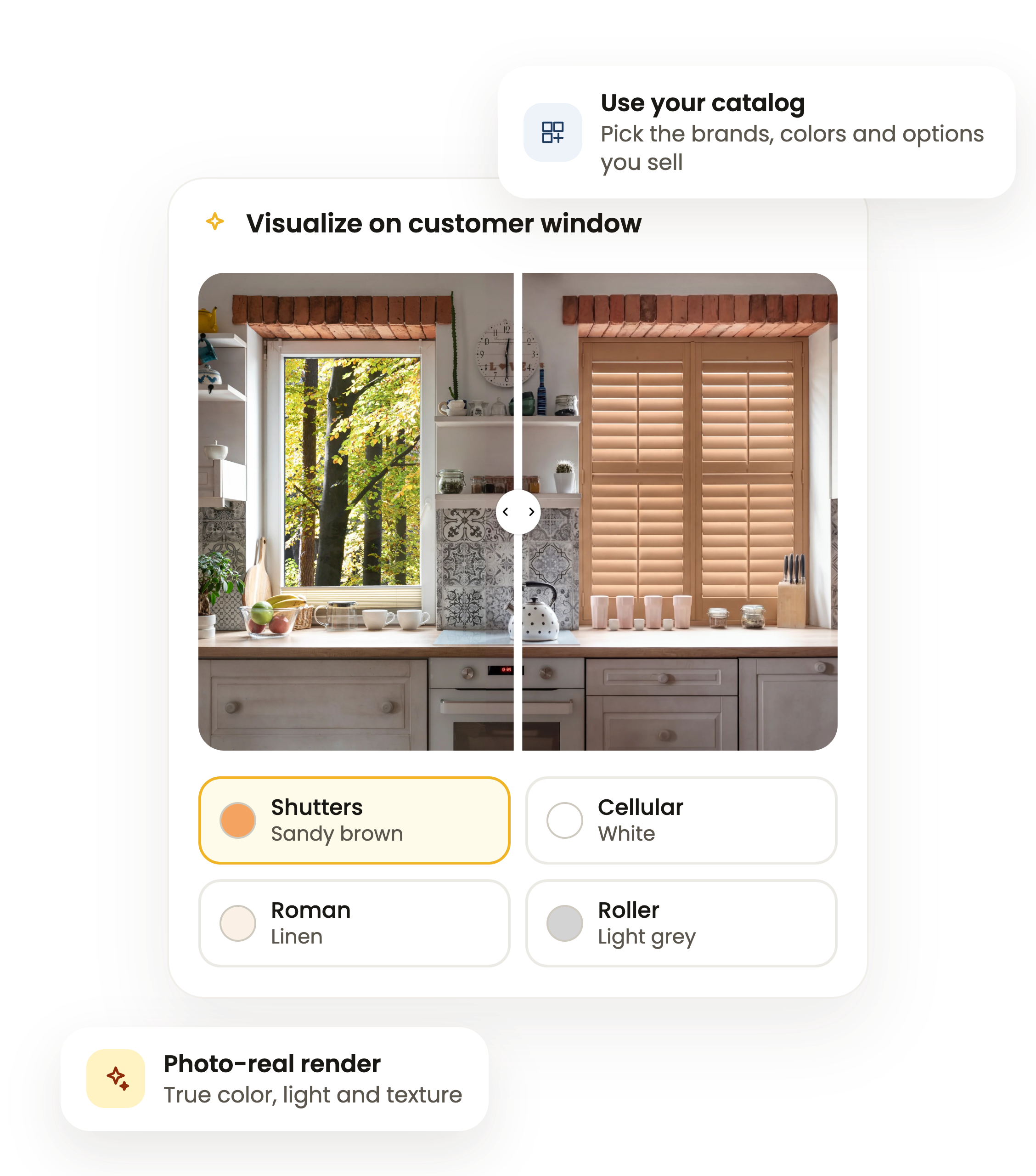
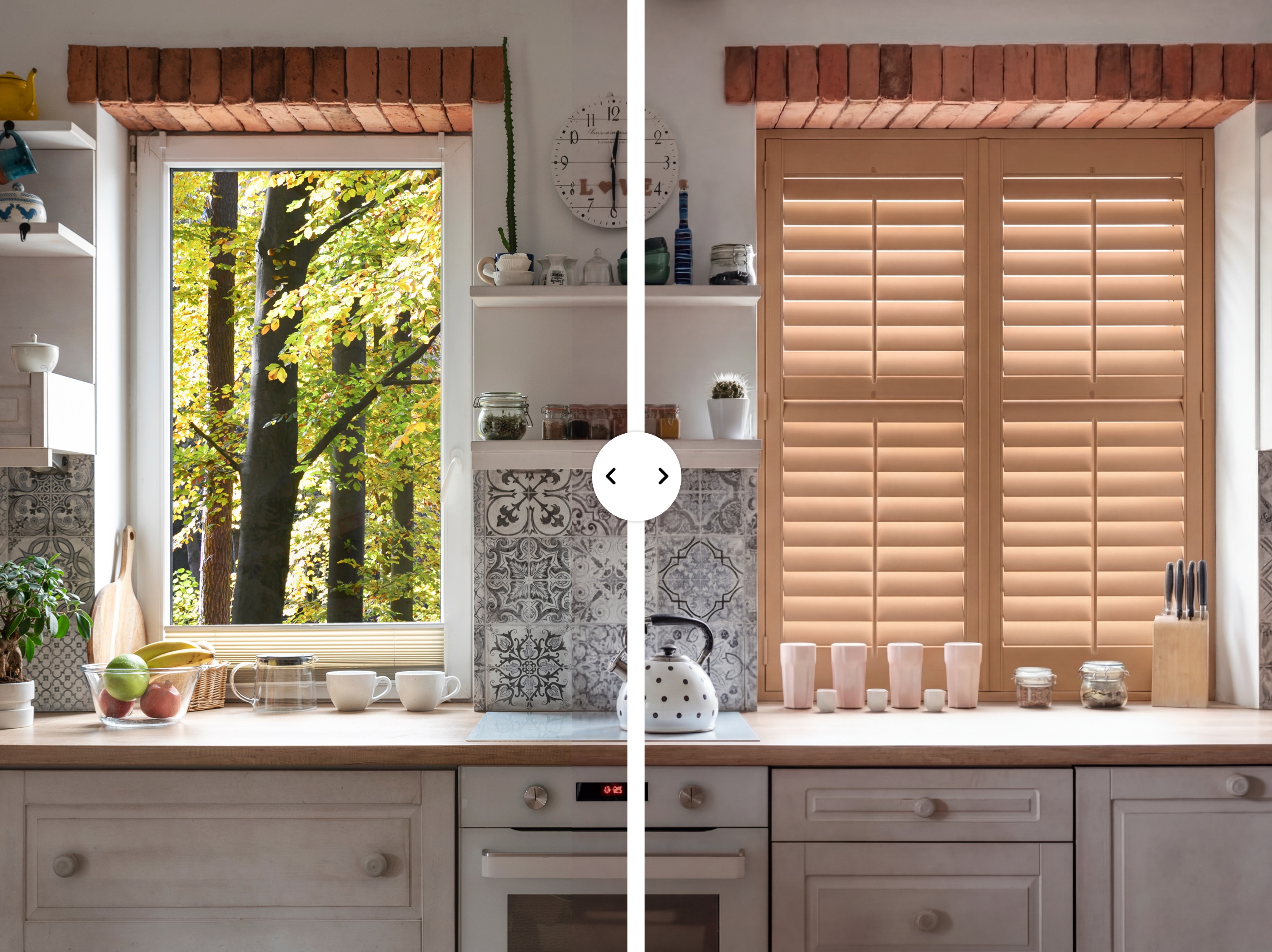
A split image of a kitchen countertop and window area; the left side shows a window with a view of green trees, a bowl with fruit, cups, a teapot, and a chopping board, while the right side shows a window with closed wooden shutters, pink cups, small jars, a knife block, and a teapot on a stove beneath decorative tile backsplash.
Simple gray calendar icon with two tabs on top and a horizontal bar dividing the upper section from the rest of the calendar.
Prefer to see it first?
Book a 30-minute demo
Book